
CARMIS allows you to add new activities or requests to the Maintenance Record Module. Please make sure you have Administrative rights and your agency has this module activated in CARMIS.
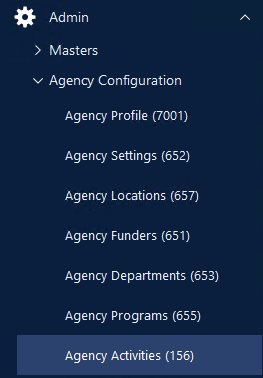
Step 1: Using the sidebar on the left side, navigate to the Admin > Agency Configuration > Agency Activities (156).
Step 2: Now the Agency Activities form will appear.
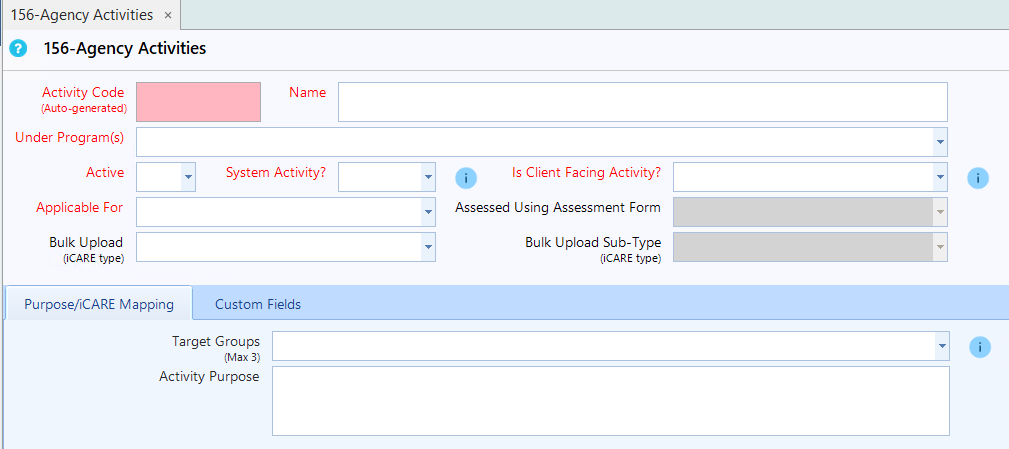
Step 3: Click "Add" on the Toolbar to create a new activity. Click the 'Add' button from the top toolbar.

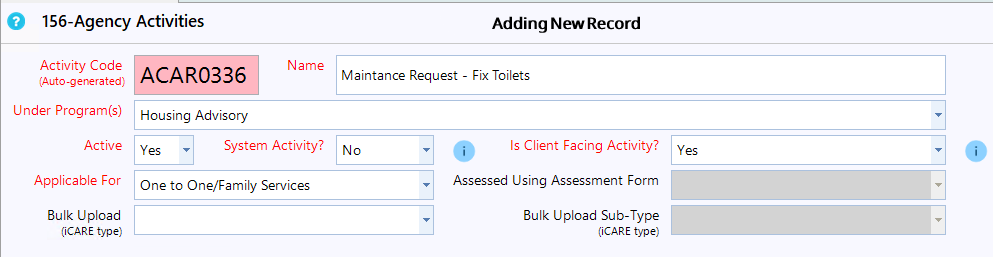
Step 4: Proceed to fill out the form's fields. Focus on the following ones:
- Name: Enter the desired name for the activity. (e.g. repair toilet, replace shower, etc. )
- Under Program(s): Select from the dropdown the program which has the housing model enabled. (e.g. Housing or Tenancy)
- Applicable For: Set this field to "One-to-One/Family Services", just check the box in front of the name.
Step 5: After making the necessary selections, find and click the "Save" button to save the new activity configuration.