

Open The Agency Funders Form
Step 1: Go to Admin > Agency Configuration > Agency Funders (651). You can also search for Agency Funders or 651 in CARMIS.
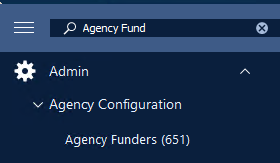
Step 2: The Agency Funders (651) form will open. Click List and select the funder record you want to update.

Step 3: Click Update to make changes to the selected funder record.

Set Client Eligibility For A Funder
Step 1: In the funder record, go to the Eligibility section. This is where you select which clients pass eligibility based on their Status in Canada and related dates.
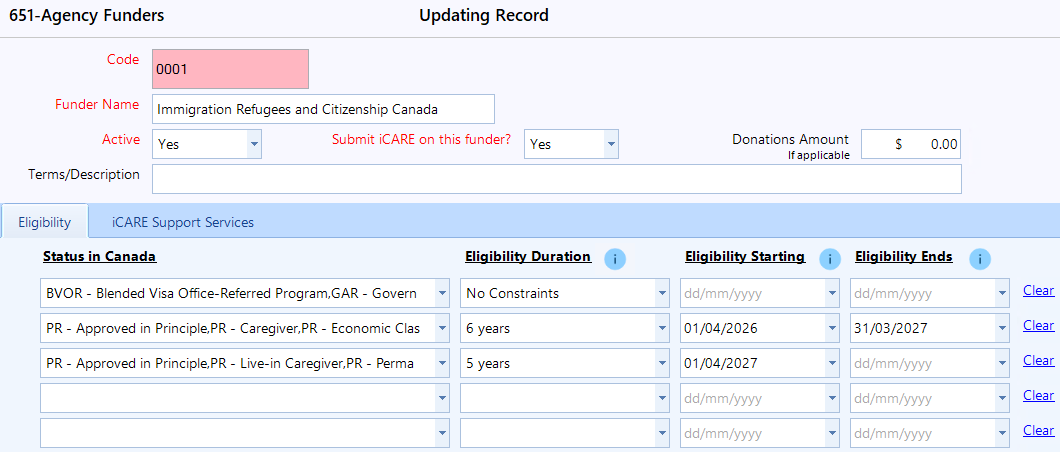
Step 2: In Status in Canada, select the status or statuses that should pass eligibility. This field allows multiple selections.
Step 3: Select the Eligibility Duration for each status. Note: When there is no restriction on Status in Canada for eligibility then use 'No Constraints' in eligibility duration.
Step 4: For iCARE / IRCC rules, enter the Eligibility Starting and Eligibility End dates. If there is no end date for the eligibility duration, you may leave the field blank.
Eligibility Duration: Since the client acquired status
Eligibility Starting & Ends: Eligibility applies to client served during this period.
Step 5: Click Save after entering the eligibility details.

Set Funded Support Services For A Funder
Step 1: Using the tab - iCARE Support Services, you can enable and disable the support services based on the contribution agreement. By default, all support services are enabled.
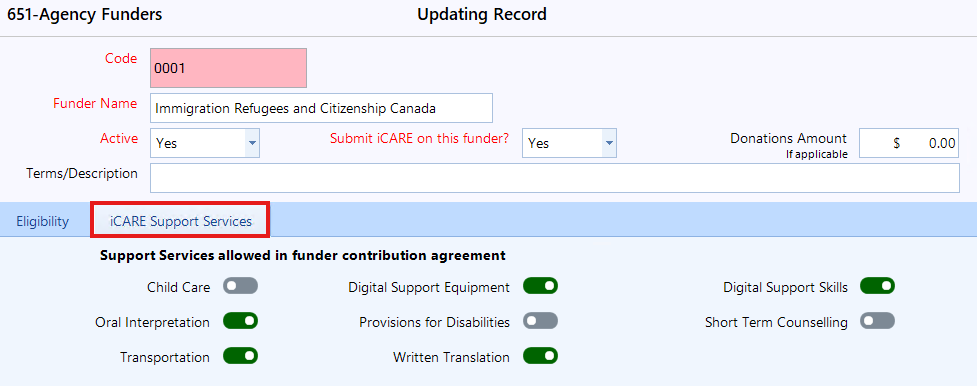
Step 2: Enter 'Update' mode using the toolbar at the top, then toggle the support services on/off as needed.
Please Note:
- The support services selected here determine which services are included in or excluded from the iCARE bulk upload.
- The Support Services may still be recorded against the services by the staff, but only funded services will be included in the iCARE submissions.
- If a specific program has differently funded services, you can configure specifically for the program under 'Agency Programs - 655'.
To learn more about Agency programs, please view our article: How to add a new program.
Check The Eligibility Tag On The Client Profile
Step 1: Open the client in 28-Clients (Profile), then go to the Immigration tab.
Step 2: Review the Current Status in Canada and Status Acquired On fields. These values are used to check the client's eligibility. Example below:

Step 3: If the client is no longer eligible, CARMIS will show "Client no longer eligible for iCARE" tag beside the existing tags at the top of the Client Profile form.

Note: If you just updated the Status Acquired On date, close and re-open the Client Profile form to refresh the tag.
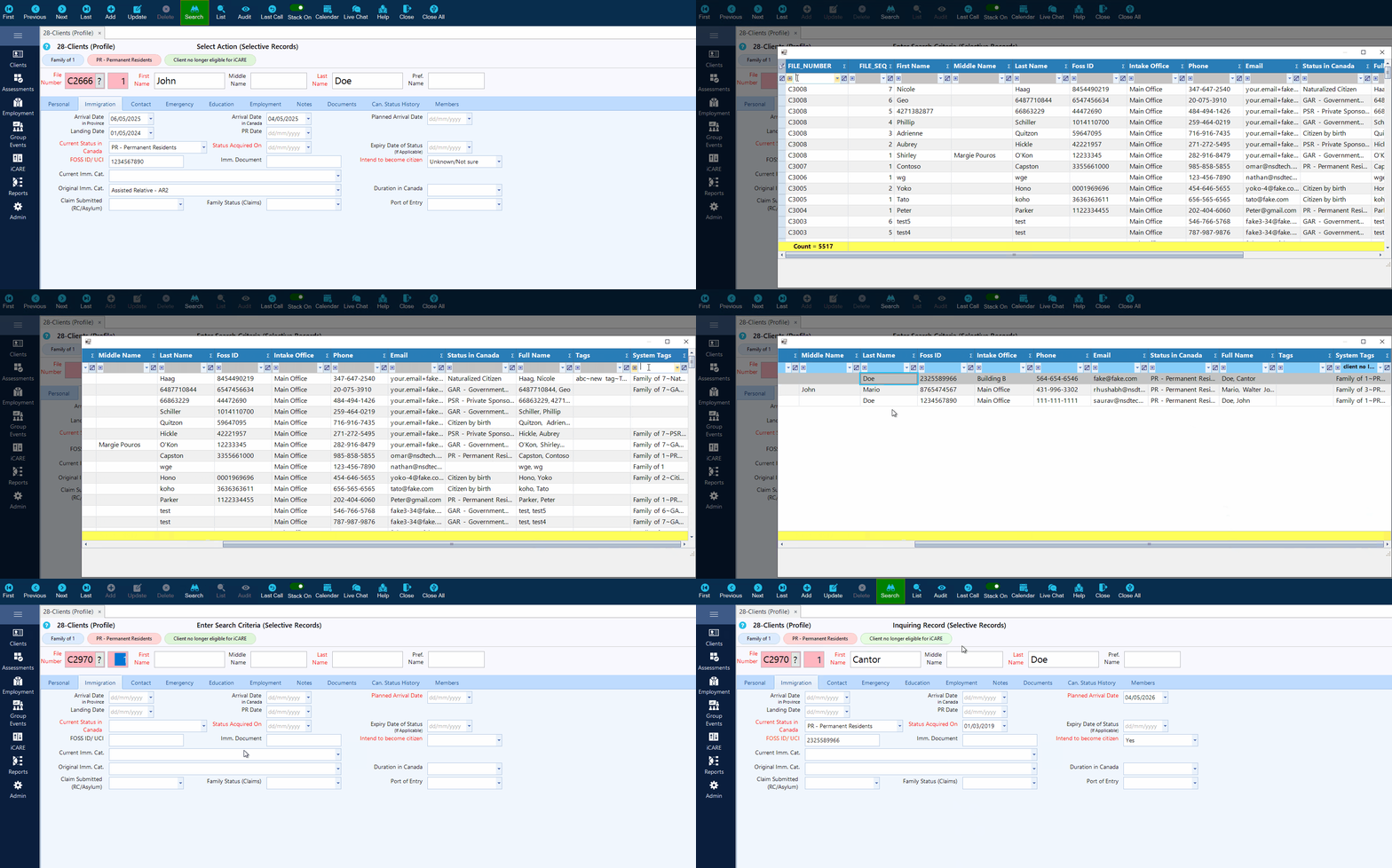
Search Clients Who Are No Longer Eligible
Step 4: The list will filter and display the matching clients.
Frequently Asked Questions (FAQ)
Q: Why is the client not showing as eligible?
A: The client may have a different Status in Canada, the Status Acquired On date may be missing, or the client may be outside the allowed duration or date range.
Q: Why is the eligibility tag not showing immediately?
A: After updating the Status Acquired On date on the 28-Client Profile form, close and re-open the form. The tag will appear after the form refreshes and the client passes eligibility.
Q: Can I add multiple statuses for the same funder?
A: Yes. The Status in Canada field allows multiple selections for the same funder.
Q: Who can access 651-Agency Funders?
A: Admins will have access to this form. If you are unable to see the form, please contact your CARMIS administrator.
Q: Can this be used for funders other than iCARE / IRCC?
A: Yes. This is mainly used for iCARE / IRCC eligibility, but it is built in a generic way and can be used for other funders if needed.