

Configuring Options for "Refer By" (referrals from other agencies)
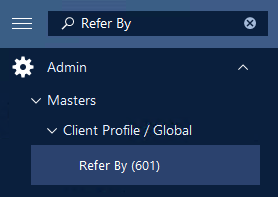
Step 1: Using the search feature in the left side menu, search for 'Refer By (601)'.
Step 2: (Optional) You can click List to view the current list of "Refer By" options. You may find that some are active and some are inactive. Inactive options will not be selectable in dropdowns.

Step 3: Click "Add" to begin adding a "Refer By" option.

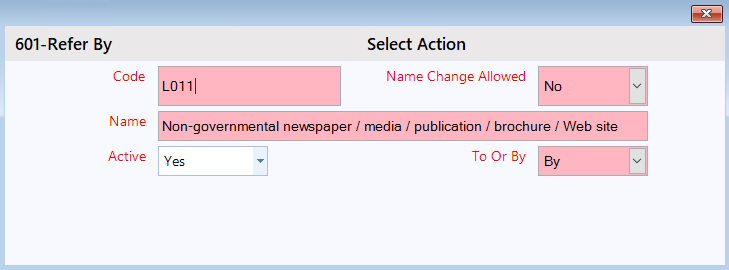
Step 4: Proceed to fill out the form.
- Name: The text that will appear for the "Refer By" option.
Step 5: To save your changes, click Save.